FlowDeck
A downloadable launcher for Windows
FLOWDECK COMMUNITY BUILD
A controller-first game library designed for Windows handheld PCs.
FlowDeck brings Steam, Xbox/Game Pass, and local games together in a clean, visual interface built to be navigated comfortably with a controller.
This is the first public Community Alpha of FlowDeck. It is completely free and includes the complete core launcher experience.
One Library. Every Game.
Bring your Steam, Xbox/Game Pass, and local games together inside one consistent interface.
- Steam game library
- Xbox and Game Pass library
- Local games and applications
- Unified controller-first navigation
Built for Controllers
FlowDeck is designed around handheld screens, controllers, and living-room displays—not around navigating a traditional Windows desktop.
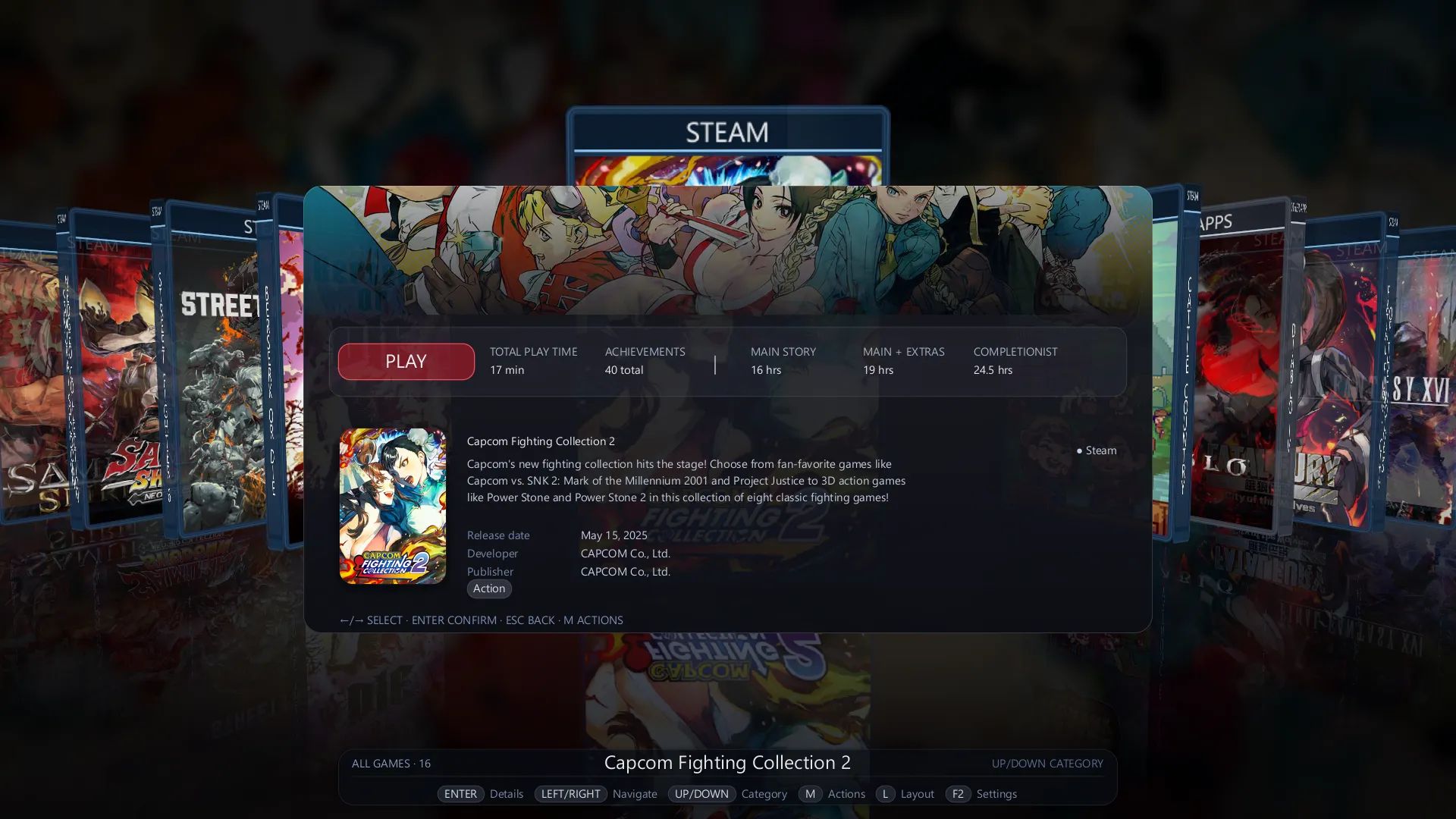
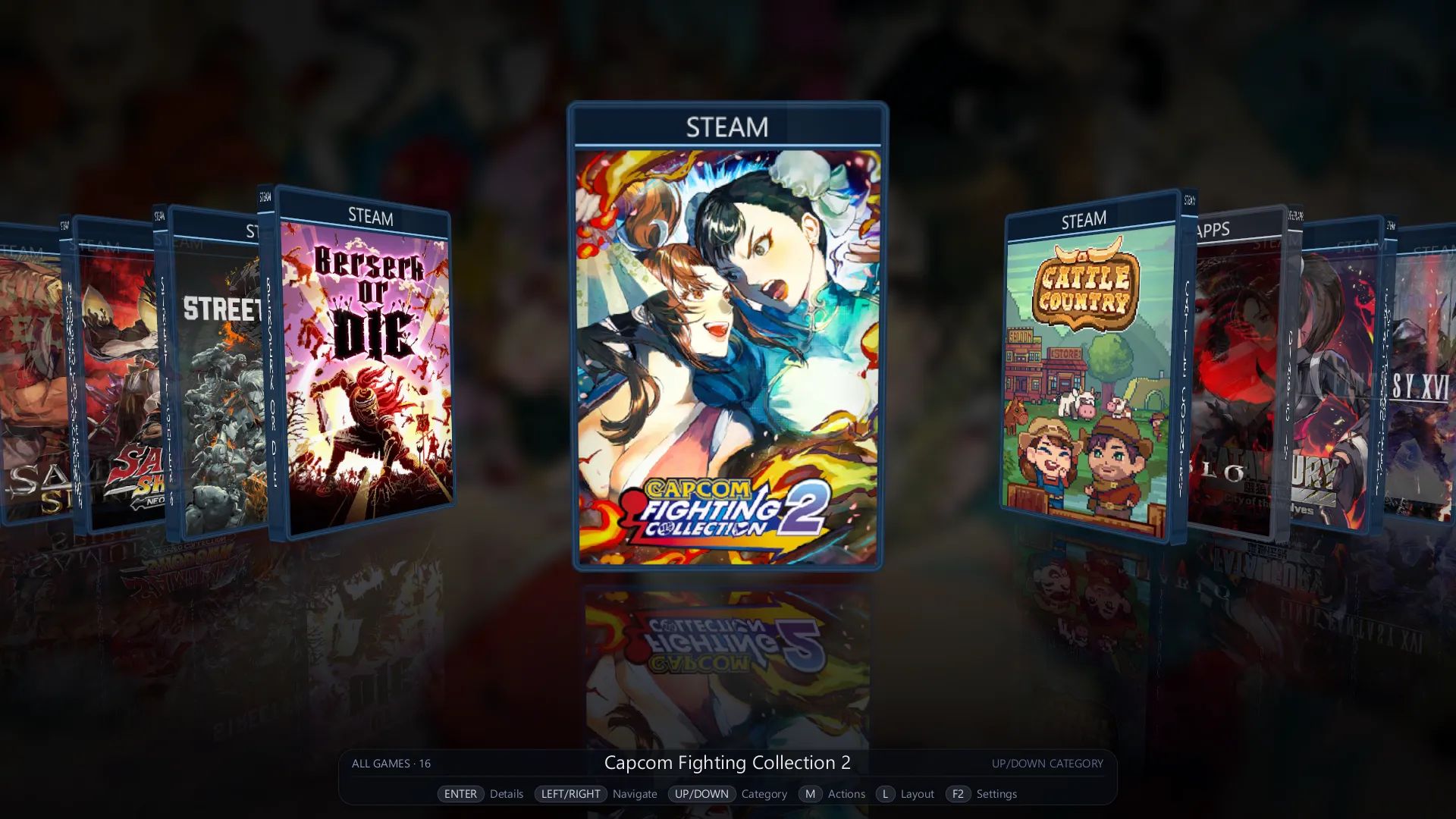
- Controller-first 3D CoverFlow
- Full controller navigation
- Fast access to categories and game actions
- Clean, readable interface for handheld screens
Your Library, in Motion
- 3D game cases and platform-specific presentation
- Automatic artwork
- Dynamic game backgrounds
- Game information and playtime
- Contextual actions for each game
Ready from the First Launch
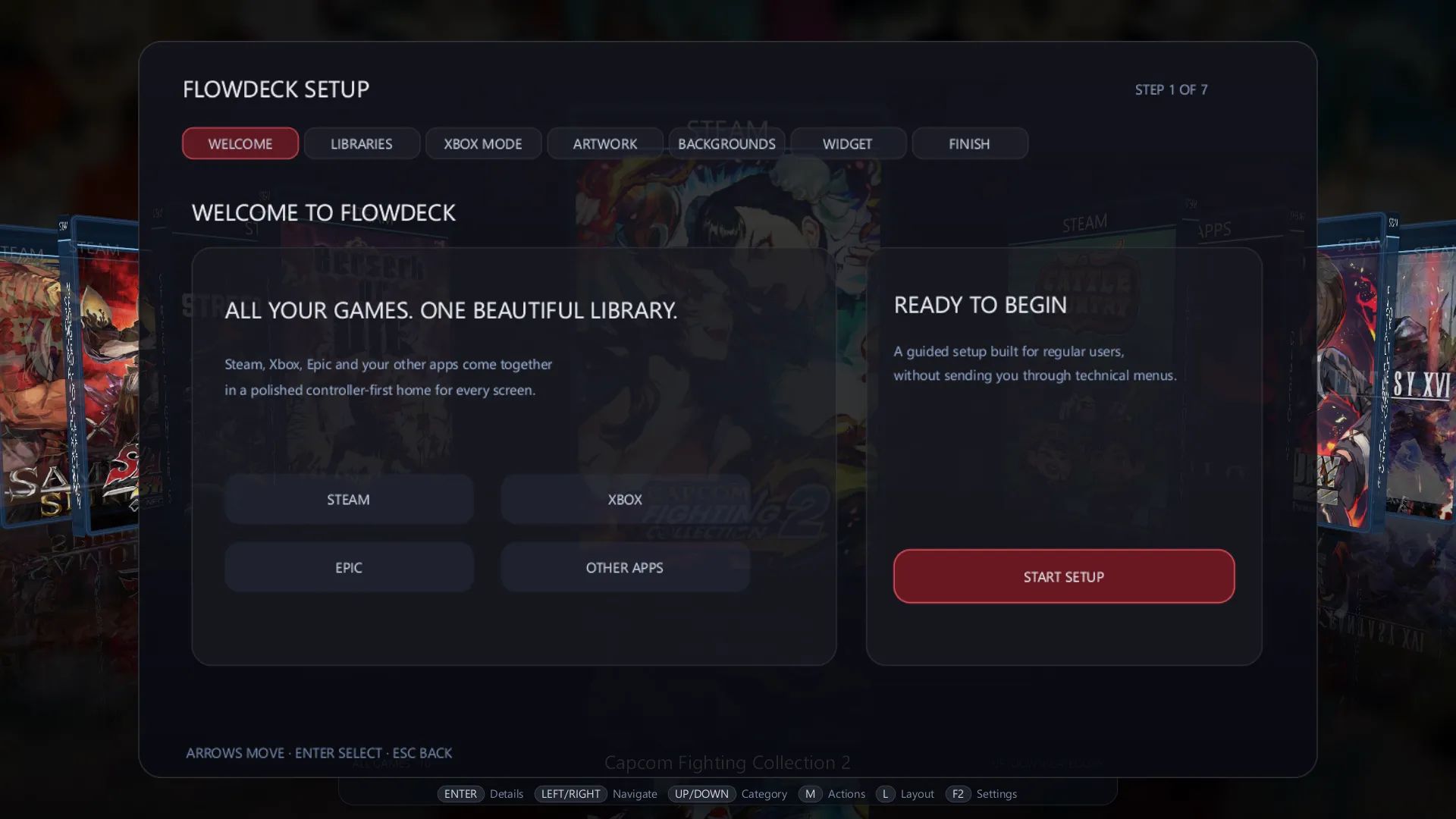
A guided first-time setup helps you prepare your libraries and configure FlowDeck without navigating through complex menus.
- Guided onboarding
- Library detection and setup
- Controller-friendly configuration
- Settings and integrations managed directly from FlowDeck
Xbox Full Screen Experience
FlowDeck integrates with the Xbox Full Screen Experience to provide a more console-like startup and navigation flow on supported Windows devices.
- Install and manage the integration from FlowDeck
- Launch into a controller-first environment
- Return automatically to FlowDeck after closing a game
Achievement Tracking
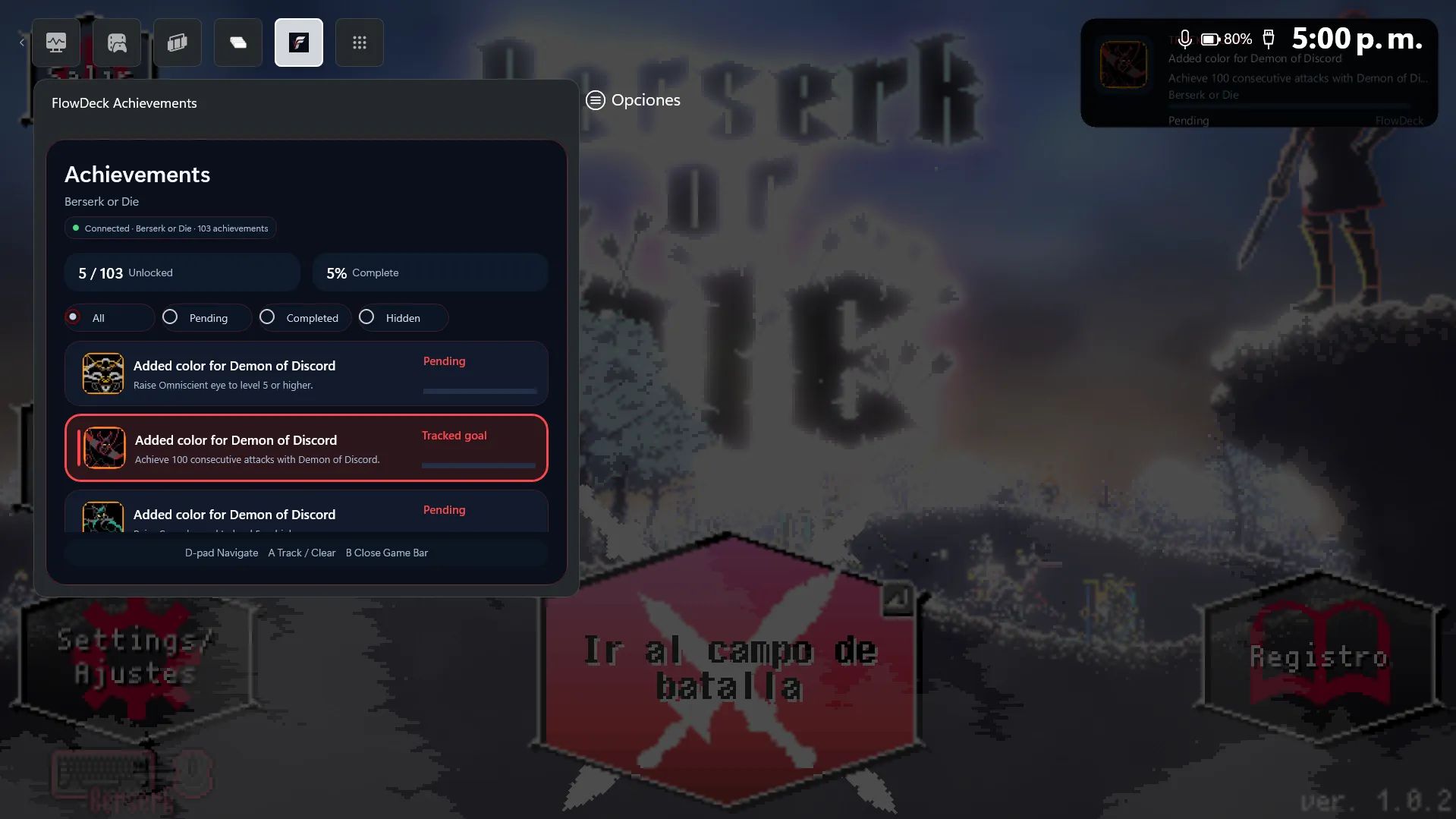
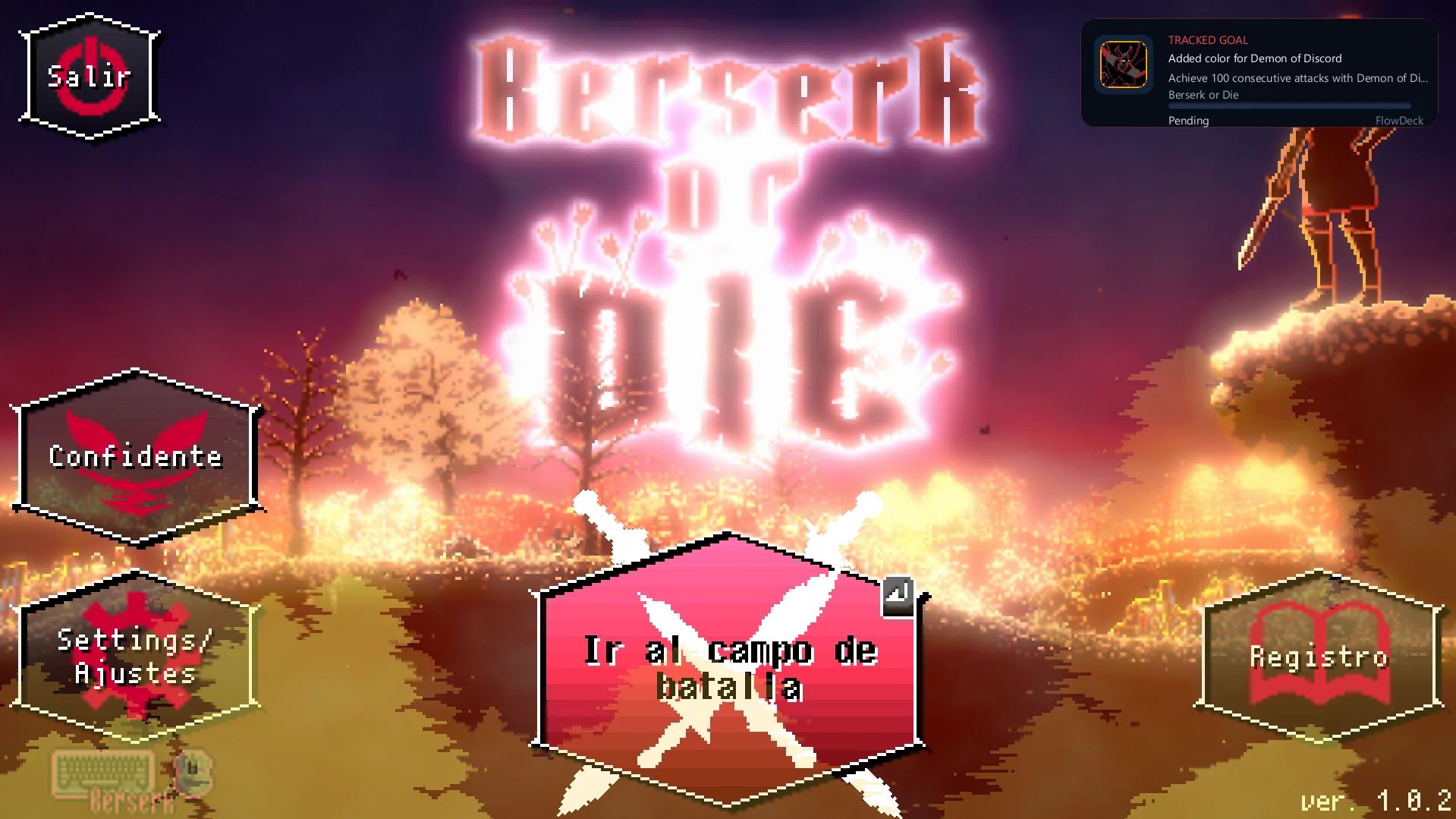
Follow your Steam achievement progress while you play using FlowDeck's experimental achievement tools.
- Steam achievement tracking
- Xbox Game Bar achievement widget
- Achievement progress and completion overview
- Select an achievement goal to follow during gameplay
Achievement tracking and the Xbox Game Bar widget are experimental in this Alpha release and may not work correctly with every Steam game.
Community Build
The Community Build is free and includes FlowDeck's complete core launcher experience.
Premium features are not included in this download:
- Steam Direct installation and download management
- Manual Artwork Browser
- Advanced Achievement Studio customization
FlowDeck Premium will be offered separately as an optional one-time upgrade. No subscription will be required.
Installation
- Download the Community Build ZIP.
- Extract the complete ZIP into a permanent folder.
- Do not run FlowDeck directly from inside the ZIP.
- Open FlowDeck using the included executable.
- Complete the guided first-time setup.
Windows may display a security warning because this is an early public Alpha. Make sure you downloaded FlowDeck from this official itch.io page.
Recommended Environment
- Windows 11
- Windows handheld PC or desktop PC
- Xbox-compatible controller
- Steam installed for Steam library features
- Xbox app installed for Xbox/Game Pass library features
- Xbox Game Bar installed for the achievement widget
FlowDeck is primarily developed and tested for Windows handheld devices such as the ROG Ally, but it can also be used on other Windows PCs.
Public Alpha
FlowDeck remains under active development. This release may contain bugs, incomplete behavior, or compatibility issues on specific devices and games.
This public Community Build is being released to gather real-world feedback and improve FlowDeck across different Windows handhelds.
Feedback and Bug Reports
When reporting an issue, please include:
- Your handheld or PC model
- Your Windows version
- The controller being used
- The game or library involved
- What you were doing when the problem occurred
- A screenshot or video when possible
Comments, compatibility reports, usability feedback, and controller navigation reports are welcome.
FlowDeck Community Build — Español
Una biblioteca de juegos diseñada para manejarse con control en handhelds y PCs con Windows.
FlowDeck reúne Steam, Xbox/Game Pass y juegos locales dentro de una interfaz visual limpia, diseñada para navegar cómodamente con mando.
Esta es la primera Alpha pública de FlowDeck. La Community Build es completamente gratuita e incluye la experiencia principal completa del launcher.
Funciones actuales
- Steam, Xbox/Game Pass y juegos locales en una sola biblioteca
- CoverFlow 3D diseñado para control
- Navegación completa con mando
- Información, tiempo de juego y acciones contextuales
- Artwork automático y fondos dinámicos
- Configuración inicial guiada
- Integración con Xbox Full Screen Experience
- Retorno automático a FlowDeck después de cerrar un juego
- Tracking experimental de logros de Steam
- Widget de logros para Xbox Game Bar
- Seguimiento de objetivos de logros durante la partida
Community Build
Esta versión incluye la experiencia principal completa de FlowDeck.
No incluye las siguientes funciones Premium:
- Instalación y gestión de descargas mediante Steam Direct
- Artwork Browser manual
- Personalización avanzada de Achievement Studio
FlowDeck Premium se ofrecerá posteriormente como una mejora opcional de pago único. No requerirá suscripción.
Aviso de Alpha
FlowDeck continúa en desarrollo activo. Esta versión puede contener errores, comportamientos incompletos o problemas de compatibilidad en algunos dispositivos y juegos.
El tracker de logros y el widget de Xbox Game Bar son experimentales y pueden no funcionar correctamente con todos los juegos de Steam.
Instalación
- Descarga el archivo ZIP de la Community Build.
- Extrae todo el contenido en una carpeta permanente.
- No ejecutes FlowDeck directamente desde el ZIP.
- Abre FlowDeck utilizando el ejecutable incluido.
- Completa la configuración inicial guiada.
Reportes y comentarios
Al reportar un problema, incluye:
- Modelo del handheld o PC
- Versión de Windows
- Control utilizado
- Juego o biblioteca involucrada
- Qué estabas haciendo cuando ocurrió el problema
- Una captura o video cuando sea posible
Los reportes de compatibilidad, comentarios de usabilidad y problemas de navegación con control son bienvenidos.
Download
Install instructions
1. Download the ZIP file.
2. Extract the entire ZIP to a permanent folder.
3. Do not run FlowDeck directly from inside the ZIP.
4. Launch FlowDeck using the included executable, FlowDeck.exe.
5. Complete the guided first-time setup.
Windows may display a security warning because this is an early public Alpha. Verify that you downloaded FlowDeck from this official itch.io page before running it.
Leave a comment
Log in with itch.io to leave a comment.